


Revit models can be used for facility management, but not without preparation. A Revit model value depends on a deliberate data strategy defined early, especially around assets and parameters.
Most models are developed for design and coordination purposes, not for operations. As a result, they often lack the structured data required for facility management workflows, such as asset tracking, maintenance planning, and lifecycle management.
A common misconception is that a completed model is inherently valuable for FM. In reality, the usefulness of a Revit model for facility management depends on the quality and structure of the information it contains. Ultimately, poorly defined data leads to limited usability, meaning that if the inputs are not aligned with FM needs, the outputs will not support operations.
This gap often originates early in the project lifecycle. While modeling standards and coordination requirements are typically well-defined, facility management is rarely considered in the BIM Execution Plan.
As a result, this article explores how to use a Revit model for facility management by defining a BIM data strategy, including asset identification, parameter requirements, and the steps needed to achieve FM-ready BIM models.
Defining Asset Data: The Foundation of BIM for Facility Management
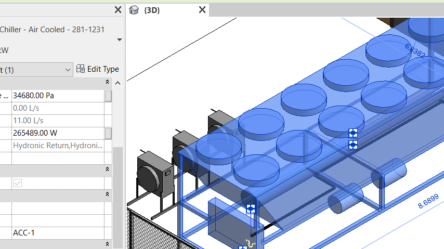
Defining asset data is the first step in preparing a Revit model for facility management, as it determines which equipment and systems will be tracked and what information they must contain. Each asset category must include clearly defined attributes and share a parameter with a unique identifier, typically the Asset/Component name, parameter, or a custom field, which links the model to the corresponding asset in facility management software. This identifier is often aligned with the asset or component name used in operations (for example, BuildingName_floor_room_UniqueIdentifier), enabling tracking and maintenance workflows. Input from facility teams is essential to ensure the data reflects real operational needs, and when that input is not available, industry standards can guide the structure. Without a clear asset data strategy, even well-developed BIM models will not deliver value for facility management.
Rooms and Levels: Defining Asset Location in BIM
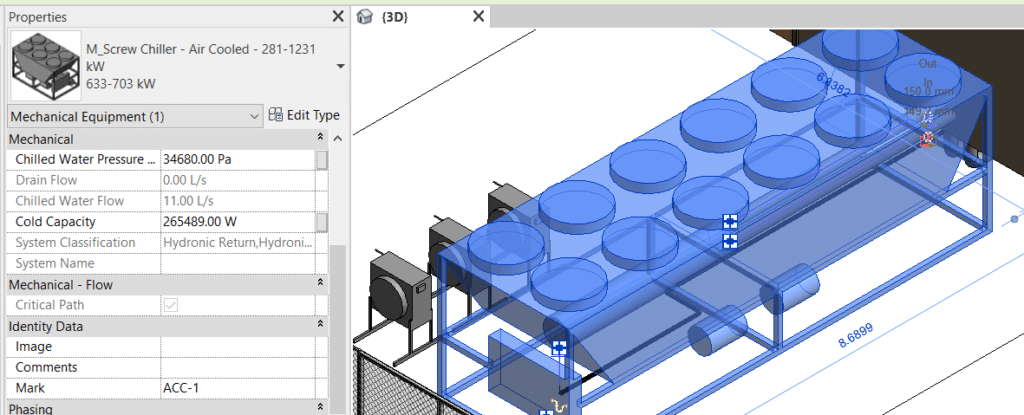
Rooms and levels are essential for organizing asset location within a Revit model for facility management, as they allow each element to be associated with a physical space in the building. This spatial structure enables facility teams to locate assets, plan maintenance activities, and manage operations efficiently. For this to work, all relevant elements must be properly assigned to rooms and levels, with consistent room names and numbers, and a clear vertical structure typically defined from slab to slab. Room boundaries should also be defined consistently, often using wall centerlines, to ensure reliable location data. Without accurate room and level information, even well-structured asset data becomes difficult to use in facility management workflows.
Systems Information: Structuring BIM Data for Facility Management
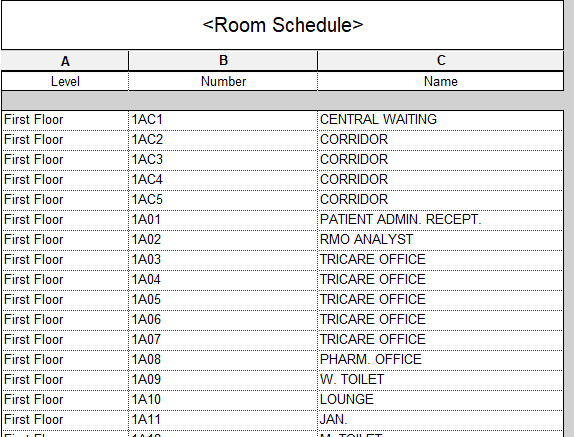
When utilizing BIM for Facility Management, one of the main benefits is being able to isolate systems in 3D to visualize relationships between assets. In Revit, this is ideally achieved using native system creation tools, which automatically organize elements such as equipment, pipes, and fittings. Alternatively, a custom parameter can be used to define system associations, but this requires consistent population across all related elements to ensure the data remains reliable. Without a properly structured system for information, the ability to manage and visualize assets effectively in facility management workflows is significantly reduced.
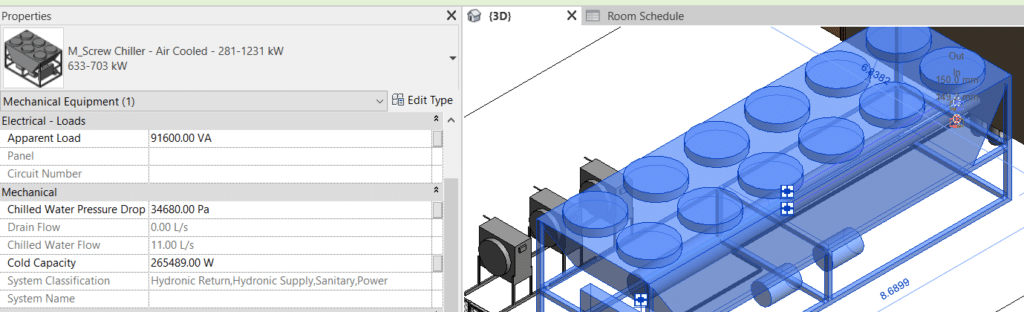
The information described above represents the minimum data required for a Revit model to support facility management workflows. However, additional structuring is often necessary to improve usability and efficiency.
Best practices to make a BIM model usable for facility management
Keep in mind the following recommendations for a smooth workflow:
- Level of Development (LOD): In the operational stage, highly detailed models are not required for facility management. Simplicity is more effective for maintenance teams, so non-essential elements such as hangers, insulation, and clearances are often hidden. An LOD 500 model is not necessary for FM purposes.
- Worksets. Clean data is critical for efficient workflows. Worksets should follow a logical structure, and any unused or empty worksets should be removed to improve model organization, visualization, and usability.
- Modeling Approach: Model-in-place elements should be avoided whenever possible. Using native Revit families ensures better consistency, flexibility, and long-term usability of the model.
- Categories, Families, and Types: Types are extremely useful during operations, as they allow facility managers to group equipment with similar maintenance requirements. Categories support data validation, so elements must be properly classified, avoiding the overuse of generic models.
Finally, make sure your model is complete! Unconnected pipes don’t add any value during construction, and they won’t do it during Operations. As-Built conditions are important so a technician can rely on the model to find the pieces of equipment to work on.
This article is not meant to cover the whole spectrum of tasks needed to implement YouBIM, any other software for Facility Management or to ensure a complete Handover to Operations. This is just a starting point to be able to leverage BIM for FM.
For detailed reading on this subject, including data collection and structuring, we recommend Delivering COBie Using Autodesk Revit, by Bill East.
This approach reflects practical experience in BIM for facility management, and it will be valuable to understand how others are structuring their models for FM deliverables. If there is interest in exploring how these strategies can be applied to specific projects, feel free to contact ENG to continue the conversation.
By Florencia Castro
YouBIM CEO