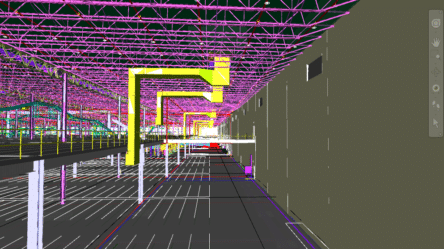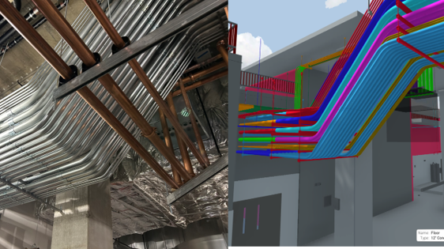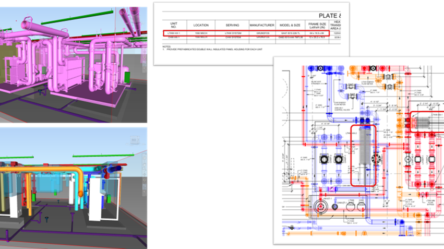


What happens when the field, BIM team, and prefab shop all see the same model, but each has a say in the design before a single conduit is bent?
For most MEP contractors, that question sounds more like a wish than a reality. Typically, the BIM team models, the field reacts, sheets get revised, and the prefab shop waits.
ENG and ArchKey, one of the top 10 electrical contractors in the US, decided that the workflow was unsustainable. Across a data center and healthcare project, they built an MEP prefab workflow in which every stakeholder had a seat at the table before modeling began.
In a recent webinar entitled “EVOLVE + Revizto. From model data to field intelligence,” ENG and ArchKey walk through how they built that workflow and what it looks like in practice.
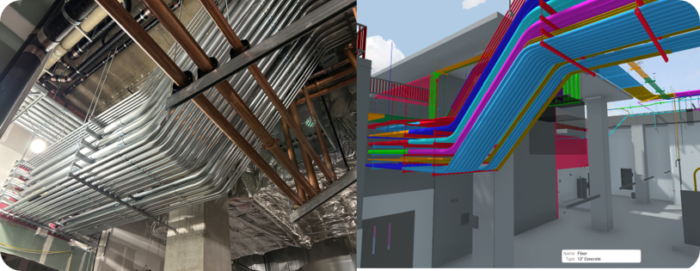
Why MEP Prefab Workflows Fail Early
The failure point is rarely coordination. It starts much earlier; in the decisions nobody made on day one.
The prefab shop never confirmed the bender specs. The field crew never signed off on sheet templates, or someone set up worksets on the fly and moved on.
Each issue feels minor in the moment, but once they combine, the project team ends up producing spool sheets twice in the same area while the schedule absorbs the cost.
Fixing that problem requires a different starting point: aligning the field, the prefab group, and the BIM team before 3D modeling begins.
That is exactly where ENG and ArchKey started.
How ENG and ArchKey Aligned Every Team Before Modeling Began
Instead of treating setup, coordination, and output as separate phases, ENG and ArchKey restructured the MEP prefab workflow.
They built a VDC workflow where every stakeholder had input before the next phase began. Every decision made early protected the work that follows, and when revisions, RFIs, and bulletins appeared, the VDC workflow absorbed those changes without forcing the team to start over.
The result was a coordinated prefab workflow where BIM, prefab, and field teams stay aligned from setup through installation.
The Three-Tool Stack Behind the MEP Prefab Workflow
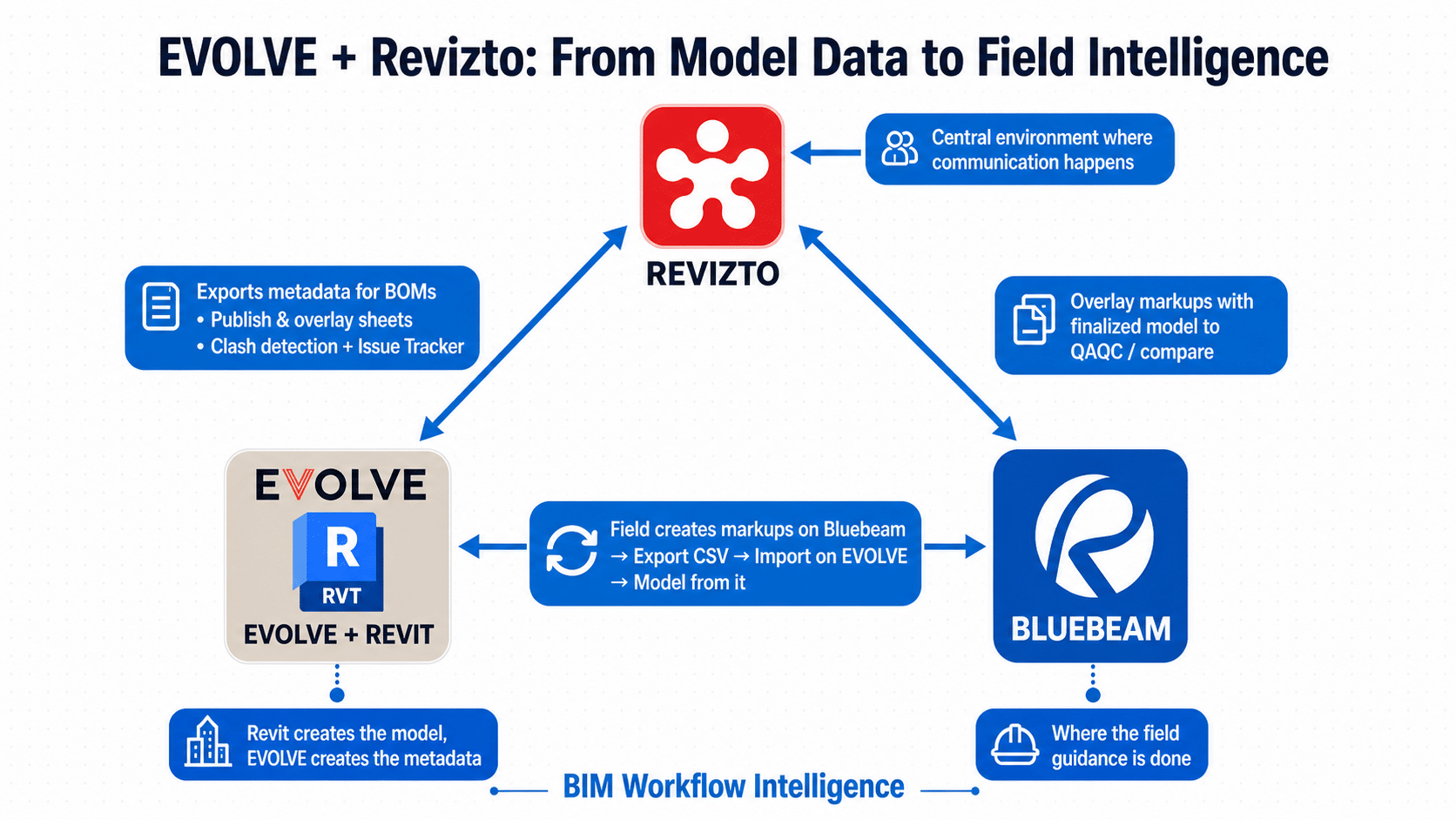
To run the workflow efficiently, ENG and ArchKey relied on three connected tools.
1-Evolve Powers and Speeds Spool Sheets
EVOLVE handled modeling and prefab outputs, serving as more than just a spool sheet generator. It also leveraged BIM Modeling, generating the metadata and powering the spooling process
The project team needed to align Prefab preferences (concentric bends, groupings of spools), Bender specs, sheet configuration (given that many sheets will be produced; a standard is key), and setup environment (template, families, etc.). By doing that, Evolve calculated offsets systematically using smart bends. Auto sleeve also identified conduits clashing with slabs and generated sleeves automatically.
As a result, spool sheet automation was faster because title blocks, schedules, and assembly views were standardized from day one.
2- How Bluebeam Connects 2D Layout to the 3D Model
The team configured Bluebeam to export feeder schedules directly into EVOLVE, so after the markup was completed, the schedules were imported directly into EVOLVE. The team also laid out conduit runs in Bluebeam and labeled them before modeling began.
When coordination changed to a run, the label updated automatically, eliminating the need for relabeling or manual revision tracking.
3- How Revizto Gives Field Teams a Seat at the Table
Revizto is where the field stopped being passive.
Once the model was pushed to Revizto, electricians, superintendents, and project managers could review it on a tablet without opening Revizto.
Clash detection surfaced only actionable issues. The issue tracker routed problems to the appropriate team member automatically.
The local preview feature also allowed BIM modelers to push and review isolated changes privately without exposing unfinished BIM coordination work to the rest of the team.
MEP Prefab Workflow Results on Data Center and Healthcare Projects
The goal of an MEP prefab workflow is not just coordination. It ensures that what gets modeled can be fabricated, installed, and maintained without downstream rework.
ENG and ArchKey demonstrated across data centers and healthcare projects that those outcomes were not accidental. They are the result of deliberate setup, shared data, and field input built into the workflow from day one.
Inside the Webinar: How ENG and ArchKey Built the Workflow
In the session, ENG and ArchKey break down the actual coordination process behind their prefab workflow, including:
- How the BIM team, prefab shop, and field leaders aligned before modeling began
- Why conduit labeling starts in Bluebeam instead of Revit
- How Evolve standardized spool sheet production across projects
- How Revizto allowed field teams to review coordination issues without opening Revit
- What setup decisions reduced downstream rework on healthcare and data center projects
| If you are… | You’ll learn… |
|---|---|
| MEP/Electrical BIM Manager | How to set up Evolve from day one to eliminate rework on spool sheets |
| VDC Director or Preconstruction Lead | A replicable prefab workflow used on data center and healthcare projects |
| Field Superintendent or General Foreman | How to provide input on the model before coordination is finalized |
| Project Manager or Owner | How to use Revizto’s issue tracker as a centralized hub instead of fragmented email chains |
See the Full Workflow in Action
ENG and ArchKey built a MEP prefab coordination workflow that connected BIM modeling, field review, spool sheet production, and prefab execution before installation began.
In the webinar, the team walks through the actual setup decisions, coordination methods, and technology workflows used across data centers and healthcare projects.
Watch the full session to see how the workflow operates in practice.